Biamp Workplace Command Overview
This topic provides overviews of the features and functions, system requirements, and supported devices for the Biamp Workplace Command app.
About Workplace Command
Biamp Workplace Command is a web-based application that allows Organization users with command rights to remotely view and control Workplace Command-enabled devices.
Command-enabled devices
Tesira
All Biamp Workplace-compatible Tesira devices
- See Workplace Compatible Products for a list of Biamp Workplace-compatible Tesira devices.
- Future Tesira and Workplace Command releases will add more devices and controls.
Cambridge Qt X
All Qt X controllers, both standard and D models, are Command-enabled.
- NPX paging stations are not Command-enabled.
App access
The Workplace Command web application can be lanuched through the through the grid-of-dots apps launcher in the top ribbon of the organization's admin console on the Biamp Workplace web portal.
Workplace Command rights
The following Workplace roles can access the Workplace Command app in the Organizations admin console under the Apps tab.
- Organization Owner
- Organization Admin
- Command Admin
- Command User
As a reminder, roles are stacking in Biamp Workplace. A user with both the standard Workplace User role and the Commander User role would have standard end-user rights and can access the Workplace Command app to view and send commands to compatible devices. Command block visibility may be restricted for Command User accounts by an Organization Owner, Organization Admin, or Command Admin.
App features and functions
Tesira Command-enabled devices
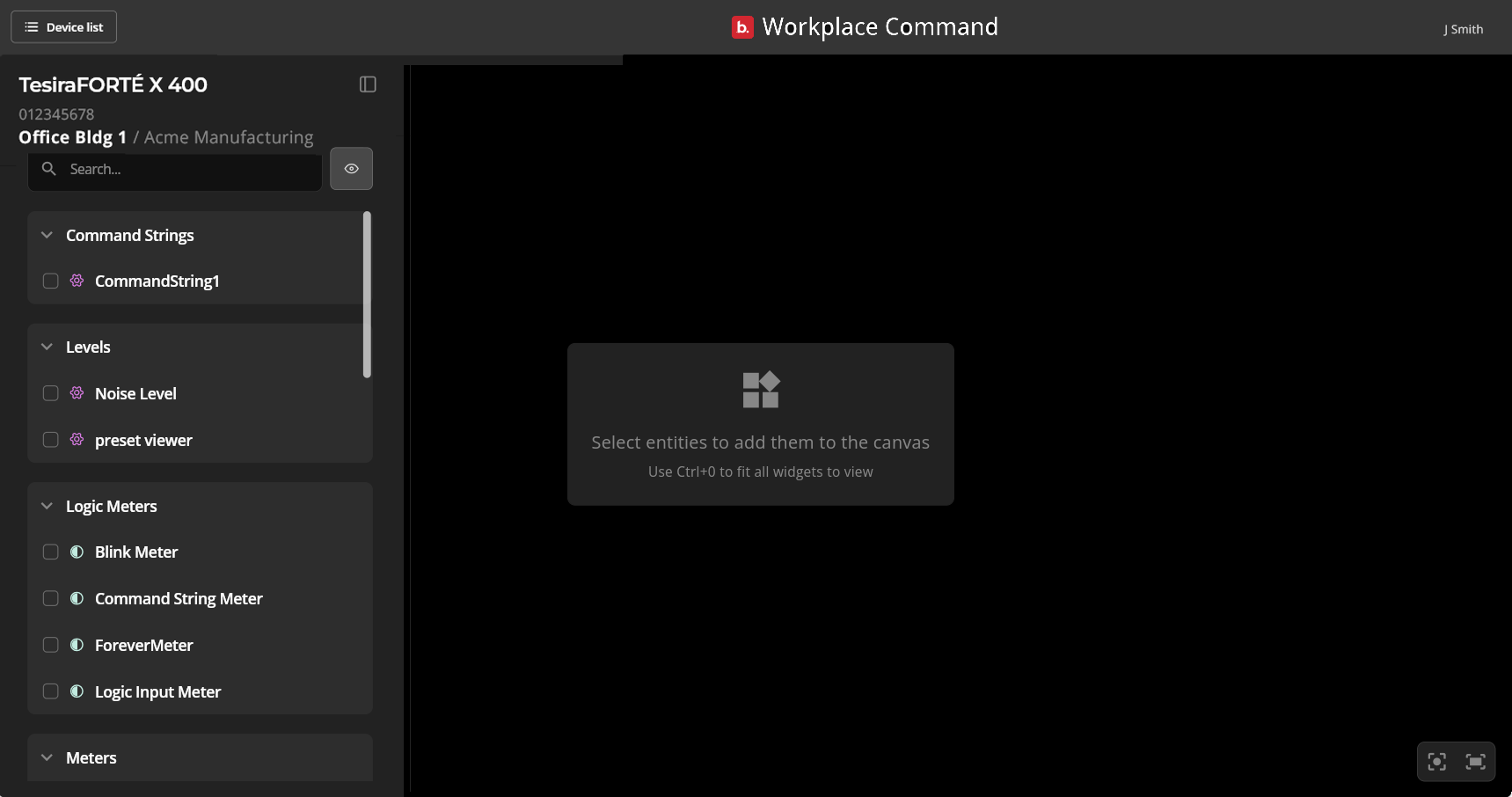
Users with Command rights can view and adjust Tesira AV block elements for compatible devices assigned to licensed locations in a Workplace organization. Devices must be configured using Tesira Design Software in order for the blocks to be visible in Workplace Command.
View granular status information
A command-enabled user can view device status on Tesira AV blocks such as the Matrix Mixer, Audio Meter, Mute Toggle, Signal Present Meter, and Source Selectors.
Adjust AV block settings
user with Command rights can adjust the values, states, and switch between pre-configured options for existing control blocks, including: Command string, Levels, Logic Meters, Logic Pulse, Logic Selector, Logic State, Matrix Mixer, Mute toggles, Presets, Router and AV Router, Signal Present meters, and Source Selectors.
Qt X controllers
Users with Command rights can view and adjust Qt X controller zone settings for controllers assigned to licensed locations in a Workplace organization.
- Choose or change the zone's AV Source
- Mute the zone
- Modify the output levels of Background music, Paging, or Ducking
Tesira device requirements and visibility
Firmware
Tesira devices must be updated to Tesira firmware v5.4 to be compatible with the Workplace Command app.
- Please refer to the Tesira Firmware Update Instructions article on Biamp's technical support Cornerstone site for instructions on updating Tesira device firmware.
Visibility
To be visible in an organization's Command App, an up-to-date Tesira device must be:
- Configured
- Assigned to a licensed location in the organization.
- All compatible blocks on configured Tesira devices will become visible by default, so no additional device programming is required to use the Command app.
Qt X requirements
Firmware
Firmware v3.0.x or greater.
Visibility
To be visible in the Workplace Command app, Qt X controllers must:
- Be configured in Qt X software
- Assigned to a Workplace organization and a licensed Workplace location