Getting started with Biamp License Manager
Perform the procedures described in this guide to become an authorized reseller and gain access to the Biamp Workplace License Manager portal.
Note: If you are a Workplace organization owner or administrator looking to purchase licenses for your organization, see Acquiring Licenses for an Organization. Biamp does not sell licenses directly to customers.

Getting started
Skip these Getting Started steps if you already have a Workplace account and are a member of at least one Biamp Workplace organization that you have uninterrupted and assured access to.
1. Register a Biamp Workplace account if You Don't Already Have One. A Workplace account is required to establish a Biamp License Manager account.
-
If you don't already have a Workplace account, go to https://workplace.biamp.app/ and follow the prompts to set up an account.
-
Email address: The email address you provide while registering your Workplace account is the same one used for signing into the Biamp License Manager portal as well as other Biamp Workplace apps.
2. Become a Biamp Workplace Organization Member.
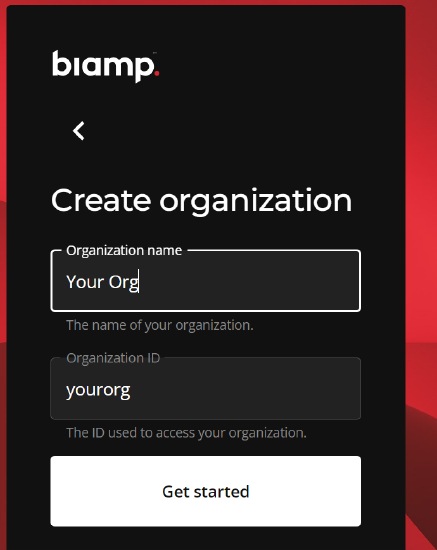
You must be a member of at least one Biamp Workplace organization to apply for a Biamp License Manager account. You or your employer may create a placeholder Workplace organization to gain and keep uninterrupted access to Biamp License Manager.
There are two ways to join a Workplace organization:
- Create your own placeholder organization that you or your employer controls (recommended).
- Be invited to an organization by an admin or the owner.
Apply for access to the License Manager portal
If you have a Biamp Workplace account and are a member of at least one Workplace organization, perform the following steps.
1. Go to the License Manager Portal.
- Go to the following URL after setting up a Biamp Workplace account at https://licenses.workplace.biamp.app/login.
- Use your Biamp Workplace account credentials to sign in.

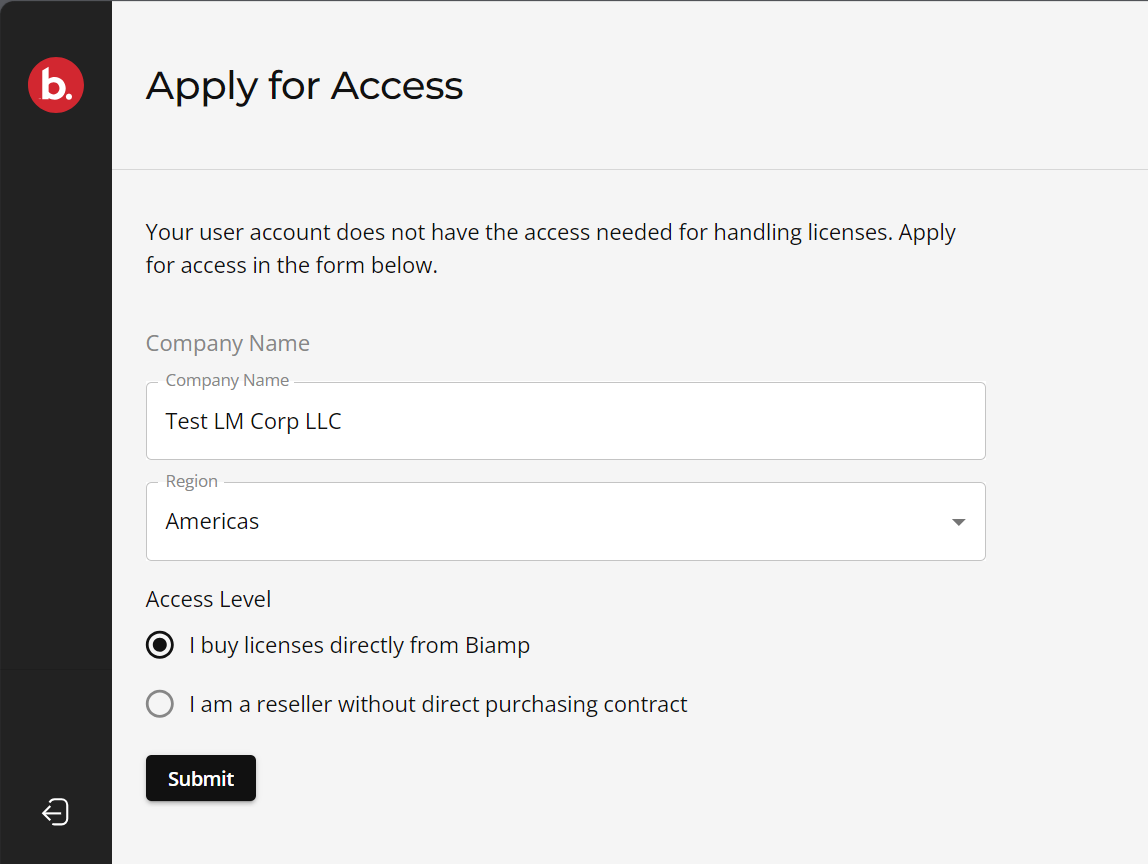
2. Fill Out the Apply for Access Form.
You will be prompted to apply for access once you have signed in to your License Manager account.
- Fill out the form and then select Submit. This will generate a confirmation notification.

You will receive an emailed confirmation once your application has been approved.
Signing back in
After your access application is approved, you may need to sign out and sign back into the License Manager portal to make the approval visible.