Inviting New Users
New users are added by sending an invitation that includes an assigned role in the organization. Once sent, invitations can be modified and managed.
Inviting individual new users
1. In the organization's admin console in the Workplace Portal, select the Users tab in the navigation panel on the left side of the page.
2. On the Users tab page, select the "+Invite users" button near the top right of the page.
3. Fill in the Invite users form with the following information:
- Add the invitee's email address in the Email field.
- Chose a role from the the dropdown Role field.
- For information about user roles see: Workplace User Roles Overview
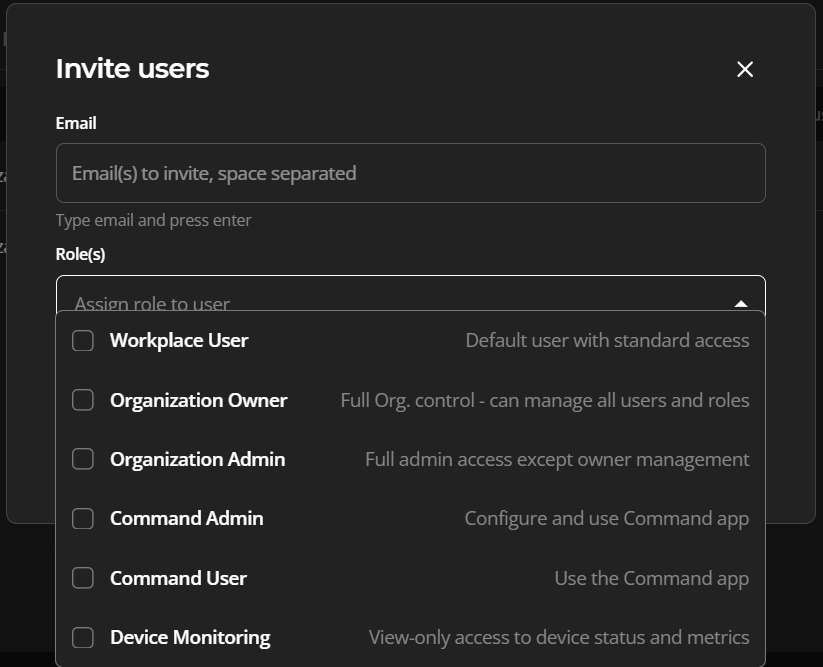
4. Select the form's "Invite" button when complete.
The invited users should now appear on the Users tab page.